
Author: Ileana Kane, Owner of Ileana Kane Marketing
Published: May 2026
Google Maps is like a giant billboard that only shows up when someone’s already looking for what you sell. And the best part? You don’t have to pay rent on it.
When you optimize for Google Maps SEO the right way, your business pops up exactly when nearby customers need you most. They see your name, your reviews, your phone number, and they call. No ads. No waiting. Just leads walking straight through your door.
I’ve watched small businesses double their phone calls in a month just by fixing their Google Business Profile and asking customers for reviews. It’s not magic. It’s Google Maps SEO done right, and it works because you’re showing up at the exact moment someone’s ready to hire.
Most business owners think they need a huge ad budget to compete. They don’t. They need a complete profile, real reviews, accurate information, and a website that doesn’t scare people away. That’s it.
In this guide, I’m showing you exactly how to turn Google Maps into your best lead source without spending a dime on ads.
Key Takeaways
Google Maps beats ads for local intent: When someone searches for a plumber or HVAC company nearby, they’re not researching. They’re ready to call. The Map Pack captures that high-intent traffic before they ever scroll to ads or regular search results.
Your Google Business Profile is your storefront: If it’s incomplete, outdated, or filled with old photos, customers assume you don’t care. A complete profile with fresh reviews and real images builds instant trust.
Reviews are your ranking engine: More reviews mean higher rankings. Fresh reviews mean Google thinks you’re active. Detailed reviews give customers the proof they need to pick up the phone.
NAP consistency tells Google you’re real: If your business name, address, or phone number don’t match across your website, Yelp, and Facebook, Google gets confused. Confusion kills your Google Maps SEO.
Mobile speed decides who converts: Most local searches happen on phones. If your website takes five seconds to load or hides your phone number, you’ve already lost the lead your profile just earned.
Why Google Maps SEO Wins More Leads Than Paid Ads
Google Maps SEO is like fishing where the fish are already biting. You’re not interrupting someone’s day with an ad. You’re showing up exactly when they’re searching for help.
When someone types “emergency plumber near me” into their phone, Google shows a Map Pack at the top. That’s three local businesses with reviews, hours, and a call button. Most people tap one of those three and never look at anything else.
If your business isn’t in that pack, you’re invisible. If it is, your phone rings.
The Map Pack works because it answers the question fast. People see your star rating, your address, how far away you are, and whether you’re open right now. That’s everything they need to make a decision in ten seconds.
I had a client who was spending $2,000 a month on Google Ads and getting maybe fifteen calls. We cleaned up his Google Business Profile, asked his customers for reviews, and fixed his website speed. Within six weeks, he was getting twenty calls a week from Google Maps SEO alone. He cut his ad budget in half and still had more leads than before.
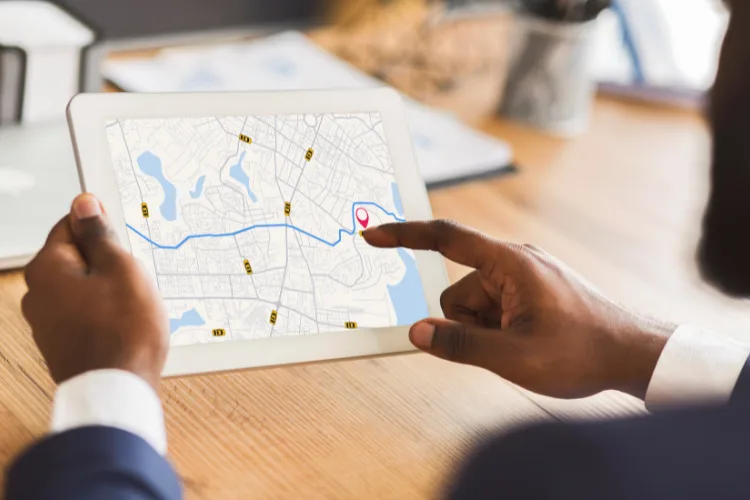
How Google Decides Who Shows Up in the Map Pack
Google ranks local businesses using three main factors: relevance, proximity, and prominence. Think of it like a three-legged stool. If one leg is weak, the whole thing tips over.
Relevance means how well your business matches what someone searched for. If they type “AC repair,” Google looks at your categories, services, and description to see if you actually fix air conditioners.
Proximity is how close you are to the person searching. You can’t move your building, but you can make sure Google knows exactly where you are and which areas you serve.
Prominence is Google’s trust score. It’s built from your reviews, how many websites mention you, and how often people click your listing, call you, or ask for directions.
All three matter, but prominence is the one most businesses ignore. You can have perfect relevance and great proximity, but if you only have three reviews from 2019, Google won’t trust you enough to put you in the top three.
Need help to show Google will decide on your business to show up? Email us NOW at ileana@ileanakane.com
The Fastest Ways to Improve Your Google Maps SEO
Claim and Complete Your Google Business Profile
If you haven’t claimed your profile yet, do it today. Go to google.com/business and follow the steps. Google will verify you’re real by sending a postcard, text, or email.
Once you’re verified, fill out every single field. Don’t skip anything.
Business name: Use your real name. Don’t add keywords like “Best Plumber in Denver.” Google will penalize you for that.
Primary category: Pick the one category that best describes your main service. This is the most important category for Google Maps SEO.
Secondary categories: Add a few more if they fit, but only real ones. Don’t add random categories just to show up for more searches.
Business description: You get 750 characters. Use all of them. Explain what you do, where you serve, and what makes you different. Write like you’re talking to a neighbor.
Phone number: Use a local number if possible. It builds trust.
Website link: Send people to a specific service page, not just your homepage.
Hours: Keep these updated. Wrong hours mean angry customers and bad reviews.
Service areas: List every city or ZIP code you serve.
Attributes: Check every box that applies. Same-day service? Online estimates? Veteran-owned? These details help you stand out.
Add Fresh Photos Every Month
Photos are one of the most underrated parts of Google Maps SEO. Businesses with recent, high-quality photos get way more clicks and calls.
Upload at least ten photos to start. Then add three to five new ones every month.
What to upload:
Your building, truck, or storefront
Your team (real people build trust faster than logos)
Completed projects or before-and-after shots
Tools, equipment, or products you use
Use real photos, not stock images. People can tell the difference, and so can Google.
I had a client who uploaded fifteen new jobsite photos in one week. His direction requests doubled. People wanted to see proof he actually did the work, and the photos gave them that proof.
Need help with your listing? Email Us Now at ileana@ileanakane.com
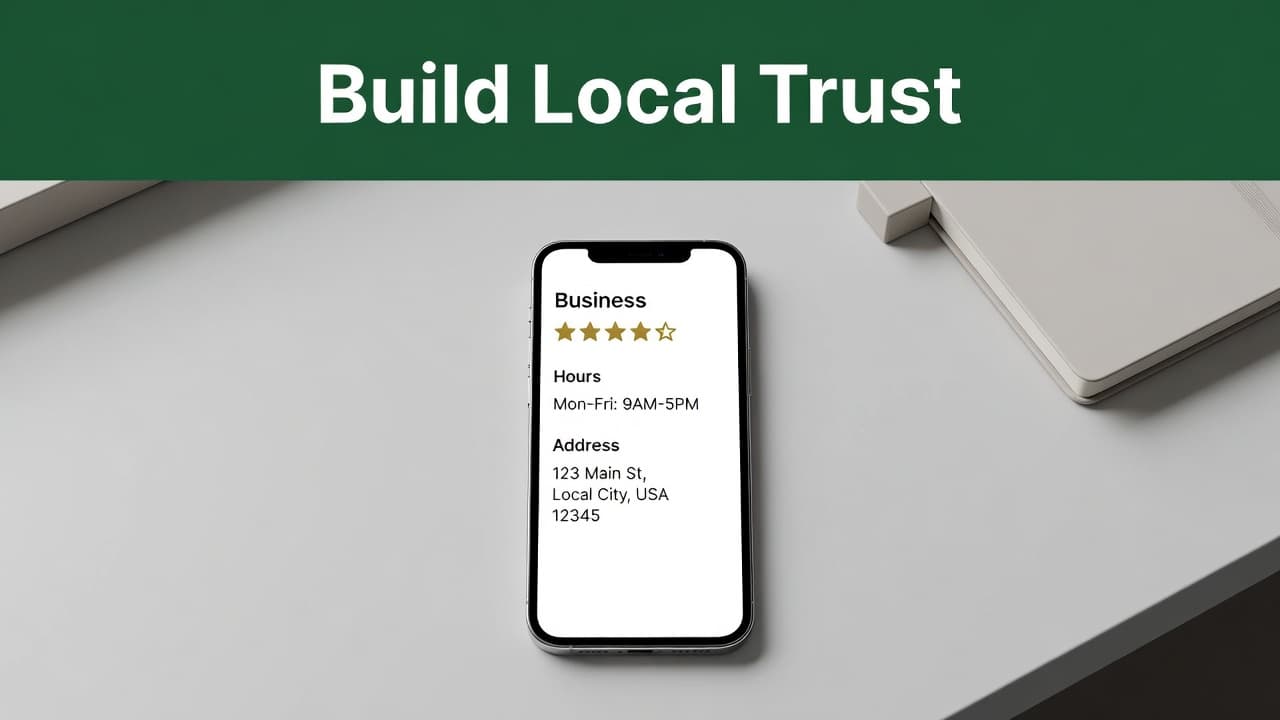
Ask Every Customer for a Google Review
Reviews are the fuel that powers Google Maps SEO. More reviews mean higher rankings. Fresh reviews mean Google thinks you’re active and ready to serve customers.
Ask every happy customer for a review. Do it right after you finish the job, when they’re most satisfied.
Make it easy. Text them a direct link to your review page. The format is: g.page/yourbusiness
Don’t make them hunt for you. Don’t send a generic email. Just text the link and say, “If you’re happy with the work, I’d really appreciate a quick review.”
When someone leaves a review, respond within 24 to 48 hours. Thank them by name. If it’s a bad review, stay calm and offer to fix the problem. Future customers are watching how you handle criticism.
I’ve seen businesses jump from position five to position two just by adding fifteen reviews in a month. It works.
Keep Your Business Information Consistent Everywhere
NAP stands for Name, Address, Phone number. Google checks your information across the web to verify you’re real.
If your phone number is different on Yelp than it is on your website, Google gets confused. Confusion hurts your Google Maps SEO.
Make sure your NAP matches exactly on:
Your website (header, footer, contact page)
Google Business Profile
Yelp
Facebook
Bing Places
Industry directories
Chamber of Commerce listings
Even small differences matter. “123 Main St.” versus “123 Main Street” can cause problems. Pick one format and use it everywhere.
Post Updates to Show You’re Active
Google Posts let you share news, offers, and updates directly on your profile. They show up in your listing and tell Google you’re active.
Post at least once a month. Share things like:
New services or seasonal offers
Before-and-after project photos
Tips related to your industry
Holiday hours or schedule changes
Posts expire after seven days, so don’t overthink them. Just stay active and keep your profile looking fresh.
How Your Website Supports Your Google Maps SEO
Your Google Business Profile and your website work like a team. One without the other is like a car with three wheels.
Even if your profile gets the click, a slow or confusing website kills the lead.
Make Sure Your Site Works on Mobile
Most local searches happen on phones. If your site doesn’t work on mobile, you lose the lead the second they click.
What mobile-friendly means:
Loads in under three seconds
Buttons are big enough to tap easily
Text is readable without zooming in
Phone number is clickable (tap to call)
Test your site on your phone right now. If it’s slow or hard to use, fix it. You’re bleeding leads every day.
Need help with your listing? Email Us Now at ileana@ileanakane.com
Put Your Contact Information Everywhere
Your phone number, address, and hours should be in your website header or footer on every page. Don’t make people hunt for it.
If someone has to click three times to find your phone number, they’ll call your competitor instead.
Use Clear Calls to Action on Every Page
Every service page should tell visitors exactly what to do next:
“Call now for a free estimate”
“Book your appointment online”
“Text us for same-day service”
Make the button big, bold, and impossible to miss. Put it near the top of the page, not buried at the bottom.
Common Mistakes That Kill Your Google Maps SEO
Keyword-Stuffed Business Names
Don’t do this: “Joe’s Plumbing | Best Plumber | Emergency Service”
Just use your real name: “Joe’s Plumbing”
Google will suspend your listing if you stuff keywords in your business name. It’s not worth the risk.
Buying Fake Reviews
Fake reviews always backfire. Google’s AI is really good at catching them, and the penalty is severe. Your listing can get suspended or banned permanently.
Never buy reviews. Never pay customers for reviews. Just ask real customers and be patient.
Ignoring Negative Reviews
Ignoring a bad review makes you look careless. Responding professionally shows future customers you care about fixing problems.
Stay calm. Apologize if you messed up. Offer to make it right. People reading your reviews are watching how you handle criticism.
Wrong or Missing Hours
If your hours are wrong, customers show up when you’re closed. Then they leave angry reviews.
Update your hours every time they change, especially around holidays.
Letting Your Profile Sit Empty
Google rewards active profiles. If you claimed your listing two years ago and haven’t touched it since, you’re losing to competitors who post updates, add photos, and respond to reviews.
Treat your Google Business Profile like a storefront. Keep it clean, updated, and welcoming.
What to Track to Know If Google Maps SEO Is Working
Don’t just watch views. Track actions.
Calls: Are more people calling you?
Direction requests: Are they coming to your location?
Website clicks: Are they visiting your site?
Booked jobs: Are clicks turning into paying customers?
If views are up but calls are flat, something’s broken. Maybe your photos look unprofessional. Maybe your reviews are old. Maybe your website is too slow.
Google Maps SEO is about results, not vanity metrics. Focus on the numbers that actually pay your bills.
Frequently Asked Questions
How does Google Maps help small businesses get more leads?
Google Maps acts as a powerful Business Listing tool that connects your company directly with customers searching for services in your area. By appearing in the Local Pack, your business gains immediate visibility when potential clients are ready to call, book, or visit your location.
Do I need to pay for ads to show up in Google Maps?
No. Many businesses appear in Google Maps without ads. A complete Google Business Profile, strong feedback, accurate business details, and a good local website can help improve your visibility.
What matters most for ranking in Google Maps?
Google evaluates three main ranking factors: Relevance, Proximity, and Prominence. Your business needs to match the user search intent, be physically close to the person searching, and demonstrate authority through reviews and citations. You can use a GeoGrid tool to track your visibility and see exactly how your ranking shifts across different neighborhoods.
Why are reviews so important for local visibility?
Gathering Google Reviews is a cornerstone of effective Reputation Management. Consistently collecting Google Reviews helps build trust with both Google and potential customers. When you actively solicit and respond to these reviews, your listing appears more active and reliable, which significantly improves your chances of earning clicks and calls.
Can a weak website hurt my Google Maps performance?
Yes. Even if your listing gets seen, a slow or confusing website can cause people to leave before they contact you. A mobile friendly site with clear service pages, easy contact options, and proper Schema Markup helps search engines understand your site, which ultimately helps turn map views into high quality leads.
Should I still use paid ads if I want more local leads?
Paid ads can still help, especially for promotions, new services, or highly competitive markets. However, a Service Area Business should prioritize organic visibility as the foundation of its marketing strategy, as it provides a steady stream of leads without the cost of paying for every single click.