
Author: Ileana Kane, Owner of Ileana Kane Marketing
Published: August 2026
You do great work. Your customers love you. But your Google profile has 3 reviews… and your competitor down the street has 47.Here’s the truth: most contractors never get more Google reviews because they never ask.
I’ve spent 10+ years helping HVAC techs, plumbers, and electricians in Chula Vista and San Diego County to get more customers. I’ve helped over 100 contractors get their first 50 Google reviews. This guide shows you exactly how to ask, when to ask, and what to say. No software required. No awkward begging.
Just simple steps that work. We are always asked if Google reviews helps SEO?
This will help strengthen your Google map SEO.
Want outside help with that setup for your Google Business Profile? Email me: ileana@ileanakane.coml. The first step is to remove friction.
Key Takeaways
🔹 Prioritize Convenience: Remove friction by providing a direct review link or QR code, ensuring customers can leave feedback in just a few taps from their mobile devices.
🔹 Master the Timing: Request feedback immediately after completing a job or processing payment, while the positive experience is still fresh in the customer’s mind.
🔹 Standardize Your Process: Train your entire team to use a consistent, simple script and integrate review requests into your daily workflow to ensure steady growth rather than relying on sporadic effort.
🔹 Engage and Respond: Actively reply to all reviews to build trust with prospects and demonstrate that you value customer input, while staying strictly within Google’s policies regarding incentivized feedback.
The Best Way to Get More Google Reviews
Here’s the formula that works every time:
- Ask within 48 hours of finishing the job
- Make it easy (send them a direct link)
- Follow up once if they don’t respond
That’s it.
Most contractors overthink this. They worry about asking for Google review request bothering customers or sounding pushy. But here’s what I’ve learned working with HVAC and plumbing businesses: happy customers want to help you. They just forget. Your job is to remind them while they’re still excited about the work you did. So never worry bout asking for Google review request.
When to ask:
- Right after you finish the job (in person)
- The next day (text message)
- 2-3 days later (email follow-up)
Real example from my clients:
An electrician in Chula Vista fixed a panel upgrade for a customer in June. He asked her in person—she said “absolutely!” But she forgot. He texted her the link the next morning. She left a 5-star review during her lunch break.
One text. One review. That’s how it works.

How to Ask for Google Reviews (Without Being Pushy)
The secret? Keep it simple. Don’t apologize. Don’t make it weird.
Here’s what my best-performing contractors say:
In-Person Script:
“Hey, if you’re happy with how everything turned out, would you mind leaving me a Google review? It really helps people find my business. I’ll text you a link that makes it super easy.”
That’s it. No groveling. Just a direct ask.
Text Message Template:
“Hi [Name]! Thanks again for trusting me with your [AC repair/plumbing/electrical work]. If you have 60 seconds, I’d really appreciate a Google review. Here’s the link: [YOUR LINK]. Thanks so much!”
Why this works:
- Short (people read texts fast)
- Personal (uses their name + project)
- Easy (the link does the work)
Email Template:
Subject: Quick favor?
Hi [Name],
I hope you’re loving your new [AC system/water heater/panel upgrade]! If you have a minute, would you mind leaving me a Google review? It helps other homeowners in Chula Vista find my business.
Here’s the link: [YOUR LINK]
Thanks so much,
[Your Name]
Pro tip: Ask within 48 hours. After a week, people forget how happy they were.
One of my plumber clients in San Diego waited 2 weeks to ask. His response rate dropped from 40% to 12%. Timing matters.
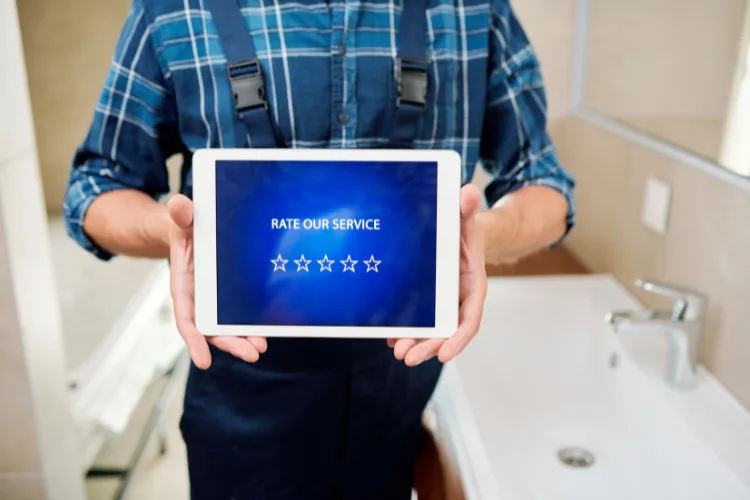
Get Your Google Review Request Link
This is the most important step. Don’t just say “leave me a review.” Send them a link that goes straight to the review form.
How to find your link:
- Go to google.com/business
- Click on your business profile
- Click “Get more reviews”
- Copy the short link
It looks like this: g.page/r/YourBusinessName/review
Paste this link everywhere:
- Text messages
- Emails
- Your invoice
- Your email signature
I tell my HVAC clients to put it on every invoice. One guy in Chula Vista gets 3-4 reviews a month just from that.
Use a QR Code
QR codes are magic for contractors.
Why? Because you can print them and leave them behind.
Where to put QR codes:
- On your invoice
- On a business card you leave on the counter
- On a “Thank You” flyer
- In your truck (for job site photos)
How to make one (free):
- Go to qr-code-generator.com
- Paste your Google review link
- Download the image
- Print it on everything
One of my electrician clients puts his QR code on a little stand he leaves on the kitchen counter after every job. Gets him 2-3 extra reviews a month without asking.
Need help to get more reviews? Email me ileana@ileanakane,com
Fastest Way to Get More Google Reviews This Week
Want 5-10 reviews by Friday? Do this:
The Batch Ask Method:
- Make a list of your last 20 customers (jobs from the past 3-6 months)
- Text all of them today with your review link
- Follow up with the ones who don’t respond in 3 days
My exact text for contractors:
“Hi [Name]! I’m reaching out to past customers I really enjoyed working with. If you have a minute, I’d love a Google review. Here’s the link: [LINK]. Thanks so much!”
Results from my HVAC client in Chula Vista:
- Texted 25 past customers
- Got 11 reviews in 5 days
- Took him 30 minutes total
This is the fastest way to build up your profile if you’re starting from zero.
To Get More Reviews, Should You Use Software?
Honest answer? Not at first.
If you’re just getting started, you don’t need software. Just use the text message method above.
When software makes sense:
- You’re doing 10+ jobs a week
- You keep forgetting to ask
- You want it automated
I offer review automation as part of my service for busy contractors. But most HVAC and plumbing businesses can get to 50+ reviews without it.
Start simple. Automate later.

How to Respond to Reviews
This is huge. Responding to reviews = more future reviews.
Why? Because people see you care.
Template for Good Reviews:
“Thanks so much, [Name]! It was a pleasure working with you. Let me know if you ever need anything else!”
Template for Bad Reviews:
“I’m sorry to hear that, [Name]. I’d love to make this right. Can you call me at [PHONE]? I want to fix this.”
Real talk: I tell all my Chula Vista contractors to respond to every review within 24 hours. Takes 2 minutes a day. But it shows up in your profile—and customers notice.
One plumber I work with had a 1-star review. He responded professionally and fixed the problem. The customer changed it to 5 stars. That almost never happens—but it did because he responded fast.
Frequently Asked Questions
Is there a free way to get more Google reviews?
Yes. Everything in this guide is free. You don’t need software or paid tools. Just your Google review link and a text message. The key is making it easy for customers and asking clearly.
How many reviews should I aim for?
Most contractors start seeing results at 25+ reviews. But even 10 good reviews will help you stand out in Chula Vista or San Diego. Your goal: have more reviews than your top 3 competitors.
Why do Google reviews matter more than Yelp?
Because Google shows up first when people search “plumber near me” or “HVAC repair Chula Vista.” Yelp traffic is down. Facebook reviews don’t show up in search. Google is where your customers are looking.
Your Action Plan: Start Today
Here’s what to do right now to get more Google reviews:
🔹 Prioritize Convenience
Get your Google review link today. Add it to your invoices, email signature, and text templates. Create a QR code and print it on business cards you leave behind after every job.
🔹 Master the Timing
Ask for reviews within 48 hours of job completion. The best time? Right after they compliment your work or when they hand you payment. Strike while the iron’s hot.
🔹 Standardize Your Process
Copy the text message script from this article. Save it in your phone. Train anyone on your team who talks to customers to use it. Make it a habit, not a one-time thing.
🔹 Engage and Respond
Set a reminder to check your Google reviews every Monday and Thursday. Respond to every review within 24 hours. Never offer incentives for reviews—it violates Google’s policies and can get your profile penalized.
Want Us to Handle This For You?
I help HVAC techs, plumbers, and electricians in Chula Vista get more reviews, respond to customers, and never miss a call.
👉 Need some help? Email now ileana@ileanakanw.com
I’ll show you how many customers you’re losing—and how to fix it.
Been helping San Diego contractors since 2014. Let’s get you to 50+ reviews this year.