Author: Ileana Kane, Owner of Ileana Kane Marketing
Published: June 2026
If your business not showing on Google Maps, it is costing you potential customers every hour. Do not panic, as this is almost always a fixable technical or policy issue. Whether it is an unverified account, a sudden suspension, or a simple data mismatch, you can get back on the map by isolating the exact cause.
Most missing listings come down to a short list of common issues, such as a lack of verification, weak trust signals, poor location setup, or a thin Google Business Profile. Google weighs whether your profile is real, complete, active, and physically relevant to the user searching. Once you identify where the breakdown occurred, the solution is straightforward. Understanding these core ranking factors is the first step in restoring your local SEO performance and reclaiming your spot in relevant search results.
Key Takeaways
- Verify Your Identity: Completing the Google verification process is the most common reason for missing visibility, as Google requires confirmation that your business is real and located where you claim.
- Maintain NAP Consistency: Ensure your Name, Address, and Phone number are identical across your website, social media, and all local citation directories to build search engine trust.
- Prioritize Profile Quality: A thin or inactive Google Business Profile ranks poorly; consistently add fresh photos, detailed service information, and new customer reviews to demonstrate that your business is active and relevant.
- Address Technical Errors: Common ranking blockers include duplicate listings, incorrect map pin placement, and policy violations like keyword stuffing, which can lead to suspensions or suppressed search results.
The most common reasons a business disappears from Google Maps
In 2026, the same core problems still cause most missing local listings. A Google Business Profile may exist, but Google can still hide it, limit its reach, or rank it so low that it feels invisible on Google Maps.
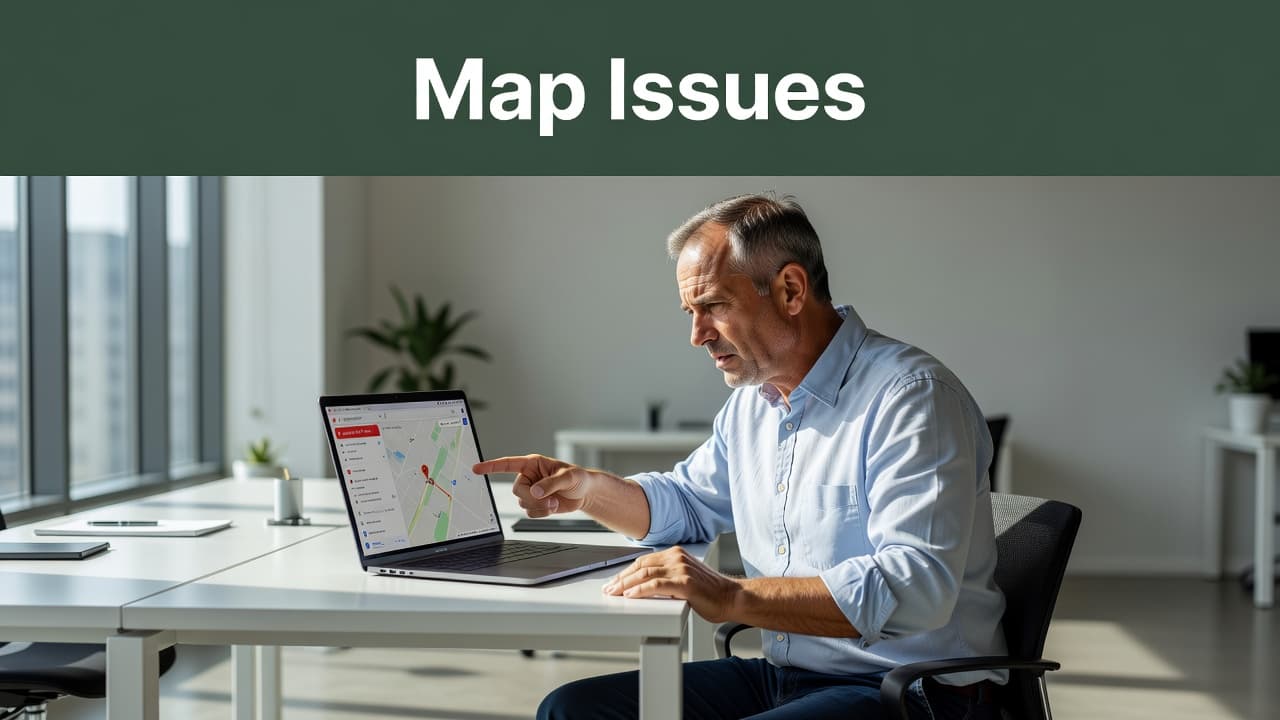
When troubleshooting, it helps to quickly identify the category of your issue. Use this table to narrow down why your business is struggling to appear on Google Maps:
| Symptom | Likely Cause | Action Required |
|---|---|---|
| Listing is completely gone | Suspended listing or duplicate | Check status, remove duplicates from Google Maps |
| Listing exists but doesn’t rank | Low location authority or customer reviews | Add photos, reviews, and update info |
| Pin is in wrong spot | Address or map settings | Reposition the pin on Google Maps |
| Name or address looks wrong | NAP inconsistency | Sync website and directory citations |
Once you identify your primary issue, you can dig deeper into the specific sections below to find your fix.
Your Google Business Profile is not verified yet
An unverified profile often will not show publicly, or it may show with limited visibility. The verification process is essential because it confirms to Google that the business is real and located at the claimed address. Completing this step is a prerequisite to appearing in the local map pack and gaining consistent visibility.
If you set up the profile recently, this is the first thing to check. Google support threads often point back to setup and visibility settings rather than a mystery penalty. If your business not showing on Google Maps is your primary concern, ensure your verification status is marked as verified in your dashboard.
Google has suspended or disabled the listing
A suspended listing can disappear from Maps until Google restores it. This often happens after policy issues, suspicious edits, or details that do not match what Google finds elsewhere.
Common triggers include keyword stuffing in the business name, using an address that is not staffed, or creating more than one listing for the same business. Even honest mistakes can trip this. If the profile says disabled or suspended, stop editing at random and review the setup before filing a business reinstatement form.
Your business details do not match across the web
Google compares your business details across many sources. If your name, address, or phone number changes from place to place, trust drops.
This is the basic idea behind NAP consistency. Your website, social profiles, local citations, and older directories should all match. A small difference, like “Suite B” on one page and no suite number on another, can muddy the signal. The more mixed your data is, the harder it becomes for Google to trust the location and assign it proper location authority.
The profile is too thin or inactive
A bare profile can exist without earning much visibility. Missing high-quality images, vague business category selections, a weak business description, and no recent activity make the listing less useful to searchers.
Google wants to show businesses that look current and trustworthy. If your profile has one photo, two customer reviews, and no services listed, it will not compete well against a nearby business with strong engagement, fresh photos, clear hours, and a filled-out service menu. Effective profile optimization is necessary for ranking; while thin profiles do not always disappear, they often sink to the bottom of the results.
Location and setup mistakes that can hide your listing
Sometimes the issue isn’t the business itself. It’s the way the location is pinned, displayed, or configured in the profile.
The map pin is in the wrong place
If the pin lands on the wrong building or the wrong side of the street, Google can get conflicting location signals. Achieving high address accuracy is a critical factor for Google Maps visibility, as it ensures customers find you easily. If the pin is inaccurate, nearby customers may receive bad directions, which hurts engagement and remains a primary reason for a business not showing on Google Maps.
Pin errors often happen after address edits, new construction, or suite changes. Even a small shift matters in dense areas. If people cannot find you, or if the pin points to a parking lot, fix that before doing anything else.
You use a virtual office, coworking space, or shared address
This setup can create trust problems if customers do not meet staff there during stated hours. Google wants a physical address that reflects a real, staffed presence, rather than a mailbox or a borrowed desk.
That does not mean every shared space is banned. It does mean you need to be careful. If the address is used by many similar businesses, or if signage and access are weak, Google may question the listing. Providing clear documentation of your workspace can help verify your legitimacy if the system flags your location.
Your service area or address settings are not set up right
Service-area businesses need a clean setup. If customers do not visit your location, you should hide the street address and define your service area correctly.
Home service companies often get this wrong. They show a home address, a borrowed office, or an address customers cannot visit, which creates mixed signals. On the other hand, if you do welcome customers but hide the address, you can weaken your local relevance. By keeping your business information updated and accurate, you ensure your profile is shown to the right audience in local search results. Always match the profile settings to how the business truly operates.
How to check if Google is filtering, delaying, or merging your listing
A missing listing does not always mean a penalty. In many cases, Google is filtering a duplicate, taking time to process changes, or prioritizing businesses closer to the searcher on Google Maps.
A listing can exist and still not show well. When optimizing for Google Maps, visibility depends on three core pillars: relevance, distance, and prominence.
Google thinks your listing is a duplicate
Duplicate listings are a common mess. If Google sees two versions of the same business, it may merge them or suppress one from Maps.
Old listings after a move often cause this. So do profiles created by a former employee, an agency, or an automated directory feed. Search your business name, old phone numbers, and past addresses to see what still exists. If you find a duplicate, do not ignore it. That extra listing can split reviews, confuse Google, and block the correct profile.
Recent edits or verification changes have not fully updated yet
Google does not always apply changes right away. Verification updates, category edits, and address corrections can take time to settle.
This delay can feel like the listing vanished, when it has not. If you made recent changes, give it a little time before making more. Other owners run into the same issue in this small business discussion about getting listed on Google, where basic setup and waiting for verification were part of the problem.
Your business may be too far from the searcher
Proximity is a major factor in local SEO, and Google often shows businesses that are closer to the person searching, even if another company has better reviews or a stronger website.
This is why your online presence might rank well near your office but vanish across town. Service businesses see this often. You may appear for branded searches, yet miss broader local terms in areas far from your base. While you cannot change your physical location, you can improve your location authority by focusing on other areas of your digital strategy. Building quality backlinks to your site can signal to Google that your business is an authority in the broader region, helping you compete even when proximity is not in your favor.
The fastest way to fix a business that is not showing on Google Maps
The fastest fix is a clean audit followed by clear corrections. Don’t guess, and don’t keep changing random settings. Need help? Call us for a 15 minute no-cost solution.
Audit your Google Business Profile for missing or incorrect information
Start with the basics. Check your business information, including your business name, primary category, address, phone number, website, hours, and service areas.
Small errors create big problems. Choosing the wrong primary category can keep you out of relevant searches, while a bad suite number can misplace your map pin. If the business information on your Google Business Profile does not match your official website data, Google may struggle to verify your location. Go line by line and compare your profile details against your real-world data to ensure everything is consistent.
Strengthen your Google Business Profile with real proof of activity
Next, make your listing useful to both customers and search algorithms. Add recent photos, list your specific services, write a clear business description, utilize Google Posts to share updates, and proactively ask for customer reviews.
This isn’t busywork. Google wants evidence that the business is active and helpful. Fresh photos show the location is real, while positive feedback adds necessary trust. Providing detailed service information makes your listing more relevant to local searches. A stronger profile won’t fix a suspension, but it can improve visibility once the core setup is corrected.
Fix your website and local citations so they match
Your website should support your Google Business Profile, not contradict it. Make sure the exact same business name, address, and phone number appear on your contact page, footer, and location pages.
Then, check key local citations and directories. Facebook, Yelp, Apple Maps, Bing Places, and industry-specific directories should match your NAP details exactly. If your website says one thing and your online citations say another, Google receives mixed signals. Clean data gives your Google Business Profile a better shot at ranking higher in search results.
Busy running your business and want professional help? Schedule a call with us today.
Ask for a review of the issue if your Google Business Profile still will not appear
If your listing still does not show after you fix the basics, you may be dealing with a suspension, a duplicate listing, or a trust issue that needs a deeper look. You might need to re-verify your business using specific methods like postcard verification or video verification to satisfy Google security requirements.
Use Google Business Profile support when the problem is clear and document every change you made. If you want a second set of eyes, a no-cost discovery call can help you spot hidden issues before they keep costing you calls and leads.
Frequently Asked Questions
Why did my business suddenly disappear from Google Maps?
If your business was visible but suddenly vanished, it is often due to a recent policy violation, a triggered suspended listing, or a duplicate entry being created. Review your account for any notifications from Google regarding compliance, and check for recent edits that may have caused a conflict in your data.
How long does it take for changes to reflect on Google Maps?
While some updates happen within minutes, verification processes and major category or address changes can take several days or even weeks to fully settle. It is best to make your adjustments and wait patiently before making further changes, as frequent editing can sometimes delay the update process.
Does my website affect my Google Maps ranking?
Yes, your website plays a significant role in your local SEO performance by providing Google with the necessary signals to trust your business information. If your website data contradicts your Google Business Profile, such as having a different address or phone number, Google may penalize your visibility due to inconsistent information.
Get Seen on Google Maps Again
A business usually disappears from Google Maps for a specific reason rather than a random error. Verification, trust, location setup, and profile quality remain the primary drivers of your online presence. If you find your business not showing on Google Maps, start by addressing the basics, fixing any inconsistencies, and providing Google with clear proof that your business is real and active.
Building a strong Google Business Profile is an ongoing process. When your profile details match your website, your citations, and your actual location, you are far more likely to appear where customers are searching. Remember that profile optimization is not a one-time task, but a continuous effort required to stay ahead in search results and maintain consistent visibility in the local map pack. By keeping your Google Business Profile updated and accurate, you ensure that you remain a top choice on Google Maps, helping you turn that visibility into more calls, more direction requests, and more booked work.